Grunge Brush Set for Adobe Photoshop: A Practical Tool for Textured Digital Art
For designers and digital artists seeking to infuse their work with a raw, edgy aesthetic, the Grunge Brush Set for Adobe Photoshop offers a straightforward yet effective solution. This collection of brushes brings a tactile, weathered quality to digital compositions without requiring advanced skills or time-consuming manual techniques. Whether you're designing album covers, promotional posters, or editorial illustrations, this brush set can help you achieve a gritty, layered look with minimal effort.
What the Grunge Brush Set Includes
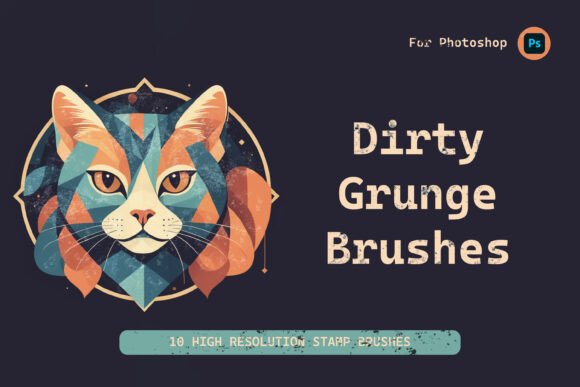
The Grunge Brush Set for Adobe Photoshop comes with 10 high-resolution brush files in native Photoshop format. These brushes vary in texture and density, allowing for a range of distressed effects—from subtle surface wear to bold splatters and scratches. Each brush is designed to simulate real-world imperfections, making it easier to add depth and authenticity to digital artwork.
Included with the download are step-by-step instructions for importing brushes into Photoshop, along with a basic help file that outlines best practices for use. This makes the installation process accessible even for those with limited technical experience.
Usability and Workflow Integration
One of the standout features of the Grunge Brush Set is its seamless integration with Adobe Photoshop. Once installed, the brushes appear in the standard brush panel, ready for immediate use. They work well with layer masks, adjustment layers, and blending modes, giving users flexibility in how they apply textures.
For example, a designer working on a vintage-style poster can layer multiple grunge brushes to simulate aged paper and paint wear. Similarly, an illustrator might use a fine-texture brush to break up flat colors and add visual interest. The brushes scale well, maintaining clarity at different sizes, which is crucial for both print and digital applications.
Design Quality and Performance
The brushes are created at high resolution, ensuring they hold up under close inspection and print production. Each brush has been optimized for Photoshop's brush engine, allowing for natural pressure sensitivity when used with a graphics tablet. This makes it easier to control opacity and intensity, which is especially useful for subtle texturing work.
While the set doesn't include animated or multi-layer brushes, its focus on static textures aligns well with its intended purpose—providing realistic, repeatable grunge effects without overwhelming the user with complexity.
Who Benefits Most from This Brush Set
This set is particularly valuable for graphic designers, illustrators, and digital artists who regularly work on projects requiring a tactile or distressed look. It's also a good fit for:
- Marketers creating bold visuals for alternative brands or music-related content
- Freelancers looking to streamline their texturing workflow
- Bloggers and content creators who want to enhance their visual assets without investing in complex tools
- Educators teaching digital design techniques with a focus on texture and composition
Small business owners and DIY publishers can also benefit from the Grunge Brush Set when designing promotional materials that need a distinctive, handcrafted edge.
Practical Applications and Real-World Use
In practice, the Grunge Brush Set for Adobe Photoshop performs reliably across a variety of design scenarios. Here are a few examples of how it can be used effectively:
- Poster Design: Apply coarse brush strokes to background elements to create a rebellious, underground feel.
- Logo Textures: Add a distressed overlay to vector-based logos for a hand-printed look.
- Photo Edits: Use subtle brushes to introduce film-like grain or edge wear to digital photographs.
- UI Mockups: Enhance digital interface mockups with background textures that suggest physical materials.
- Typography Effects: Give text layers a worn appearance to match the tone of a gritty visual theme.
Because the brushes are non-destructive when used with layer masks or smart objects, they can be adjusted or removed at any stage of the design process, which supports a flexible and iterative workflow.
Limitations and Considerations
While the Grunge Brush Set delivers solid performance for its intended use, it's not a one-stop solution for all texture needs. Users looking for highly specialized brushes—such as those that simulate specific paint types or generate procedural textures—may find this set too limited. Additionally, the set does not include vector-based textures or PNG overlays, which some designers prefer for scalability and reuse across different software platforms.
That said, the set's simplicity and ease of use make it a reliable choice for those who need a quick and consistent way to add grunge-style textures without sifting through large, overly complex brush libraries.
Final Thoughts: Is the Grunge Brush Set Worth It?
For professionals and hobbyists who frequently work with edgy or alternative visual styles, the Grunge Brush Set for Adobe Photoshop offers real value. It strikes a good balance between quality and usability, with brushes that are easy to integrate and effective in a range of design contexts. Its clear documentation and compatibility with Photoshop's native tools further enhance its appeal.
If your projects often call for a raw, textured finish and you're looking for a no-frills way to achieve that without complicating your workflow, this brush set is worth considering. It may not replace a comprehensive texture library, but as a focused toolkit for grunge effects, it delivers consistent results and practical utility.